
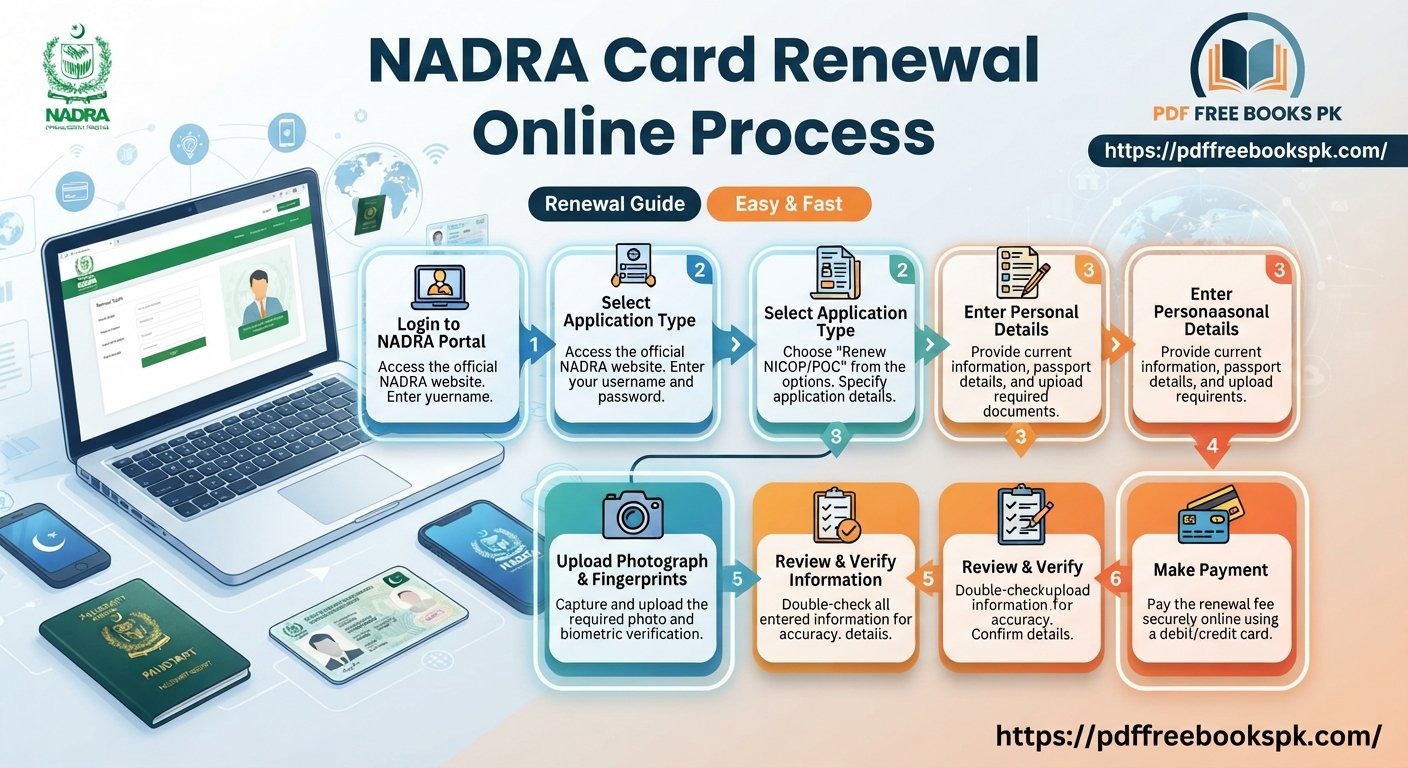
Is your CNIC expired, or will it expire soon? Then you need to learn the NADRA Card Renewal Online Process. Today, you can start your renewal from home with your phone or laptop. You do not have to stand in a long line first. In this guide, I explain every step in simple words. You will also learn the official fees, the documents you need, and how to track your card.
What Is the NADRA Card Renewal Online Process?
The NADRA Card Renewal Online Process means you fill in your renewal form on the internet. There are two official ways to do it:
- Pak ID App: NADRA’s official mobile app
- Pak Identity Portal: the website id.nadra.gov.pk
On both, you fill in the form, check your photo and details, and pay the fee online. After that, your new card is sent to you.
What You Need Before You Start
Keep these things ready so you do not get stuck in the middle:
- Your old CNIC or its number
- The mobile number saved in the NADRA record
- A clear photo with a white background
- A debit card or another online payment method, such as Raast or a bank app
- Your correct home address, where the card will be delivered
- Correct details of your father, mother and family
Important: If your record has a mistake, such as a wrong name, address or family detail, fix it first. If not, your application may be stopped.
NADRA Card Renewal Online Process: Step by Step
The steps are almost the same on the app and the website. The button names may change a little over time.
Step 1: Open the app or website. Download the “Pak ID” app from Google Play or the App Store. Or open id.nadra.gov.pk on your computer. Always use the official link.
Step 2: Create an account or log in. Enter your CNIC number and mobile number. Then type the code (OTP) that comes to your phone.
Step 3: Choose the renewal option. Select “Renewal” or “Expired CNIC” from the menu.
Step 4: Choose your card type. You can pick a Standard CNIC or a Smart CNIC (the card with a chip). The Smart CNIC is safer, but it costs more.
Step 5: Check your details. Read your name, address, family details and mobile number again. One small mistake can cause a delay.
Step 6: Upload your photo. Your face must be clear. The background must be white.
Step 7: Choose your speed. Pick Normal, Urgent or Executive. The fees are in the next section.
Step 8: Pay the fee online. Pay with your card or through the app. After payment, you get a Tracking ID. Keep it safe.
Step 9: Wait for your card. NADRA sends your card by post or courier. If the app asks you to give your fingerprints or visit a NADRA center, please follow that instruction.
NADRA Card Renewal Fees 2026 (Official Rates)
These fees are from the official NADRA fee page.
Standard CNIC Renewal
| Speed | Fee | Time |
|---|---|---|
| Normal | Rs. 400 | 15 days |
| Urgent | Rs. 1,150 | 12 days |
| Executive | Rs. 2,150 | 6 days |
Smart CNIC Renewal
| Speed | Fee | Time |
|---|---|---|
| Normal | Rs. 750 | 31 days |
| Urgent | Rs. 1,500 | 23 days |
| Executive | Rs. 2,500 | 9 days |
Please note: Many websites show only one fee list (750, 1,500 and 2,500) for every card. That is wrong. The Standard CNIC and the Smart CNIC have different fees. Delivery cost may be extra. Check the official NADRA fee page before you pay, because fees can change.
Benefits of Renewing Your CNIC Online
- You can fill in the form at home
- You skip the long line at the office
- You get online payment and a Tracking ID
- Your card comes to your door
- You do not need to pay an agent
Common Mistakes During CNIC Renewal
- A blurry or wrong photo: This is the top reason why applications come back.
- An old mobile number: The OTP does not arrive, and your work stops.
- A mistake in the family record: Fix the record first.
- Trusting an agent: Never share your OTP or password with anyone.
- Fake websites: Use only the official NADRA website or app.
- Losing the Tracking ID: Take a screenshot right after you pay.
How to Check Your Application Status
Use your Tracking ID on the app or on id.nadra.gov.pk to see your status. If your card is very late, call the NADRA helpline 1777. Keep your Tracking ID with you when you call.
Online Renewal or NADRA Office: Which Is Better?
If your details are correct and you have a smartphone, the online way is the easiest. But if your record has a problem, or you need to give your fingerprints again, it is better to visit a NADRA Registration Center. The official fee is the same in both ways.
Frequently Asked Questions (FAQs)
1. Can I renew my CNIC online?
Yes. You can start the renewal on the Pak ID app or on id.nadra.gov.pk. You fill in the form, upload a photo and pay the fee online.
2. How much does CNIC renewal cost?
A normal Standard CNIC renewal costs Rs. 400. A normal Smart CNIC renewal costs Rs. 750. Urgent and executive services cost more.
3. How long does it take to get the new card?
It depends on your speed. A Standard CNIC takes 6 to 15 days. A Smart CNIC takes 9 to 31 days. Delivery may add a few more days.
4. What if I lose my Tracking ID?
Check your phone messages and your app history first. If you still cannot find it, call the NADRA helpline 1777.
5. Can I renew my CNIC after it has expired?
Yes, you can. But it is better to apply before it expires. An expired card can stop your bank, SIM, and government work.
6. Is it safe to give my details to an agent?
No. Use only the official NADRA app and website. Never share your OTP or password with anyone.
Conclusion
The NADRA Card Renewal Online Process is simple if you follow the steps in order. Keep your documents and a clear photo ready, choose your card type and speed, and pay the fee on the official app or website. Then save your Tracking ID and check your status. Do not trust agents or fake websites. Renew your CNIC on time, and your bank, SIM and government work will go smoothly.